How to Set Up Creator LIVE Flash Sale on Seller Center
Version Update
Date | Version | Change Description | Details |
12/10 | 2.0 | Launch of non‑reserved stock Creator LIVE Flash Sale & batch creator linking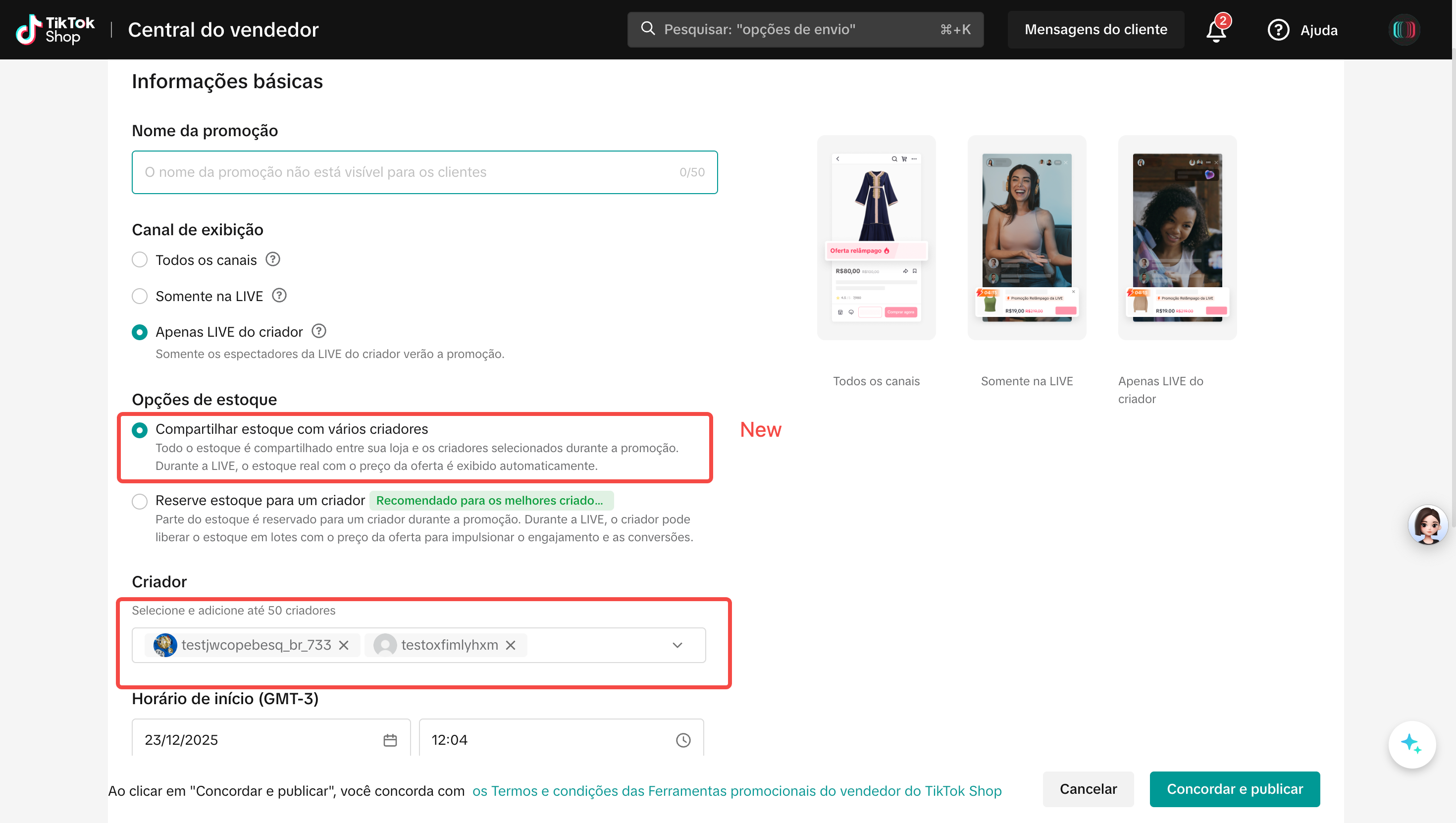 |
|
Before 12/10 | 1.0 | Only reserved‑stock Creator LIVE Flash Sale was supported | Creator LIVE Flash Sale only offered the “Reserve stock for one creator” option—shared inventory and batch linking were not available. |
1. What is Creator LIVE Flash Sale?
Creator LIVE Flash Sale is a type of Seller Flash Sale, whereby it is a seller-funded promotion tool that allows sellers to allocate limited-time deals that are displayed only on livestream channels of affiliate creators. This article guides you through creating a Creator LIVE Flash Sale in Seller Center. If you'd like to learn how affiliate creators can set up the flash sale once it's allocated to them, please refer to the feature guide for creators.
2. What's New For Creator LIVE Flash Sale?
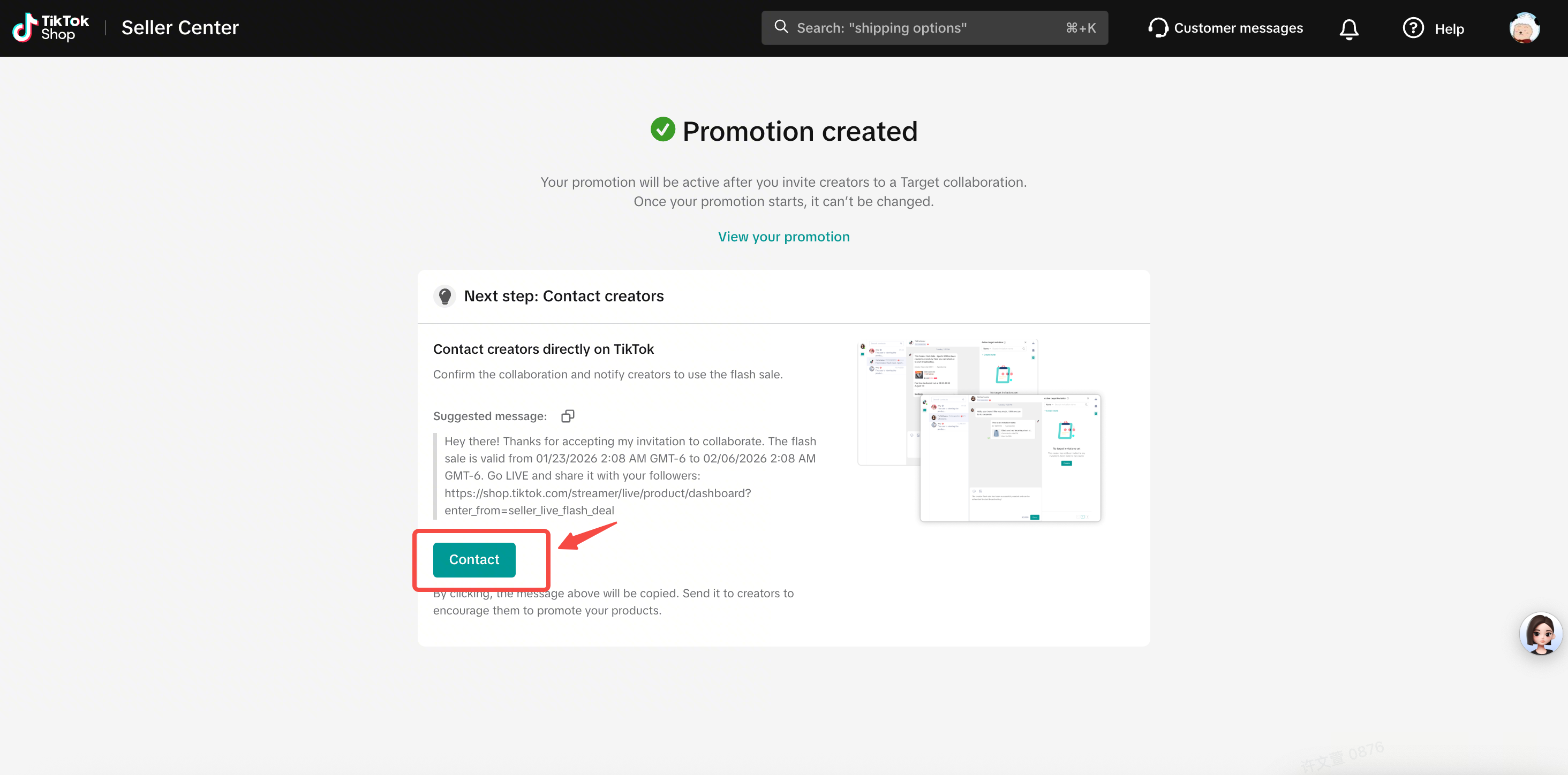
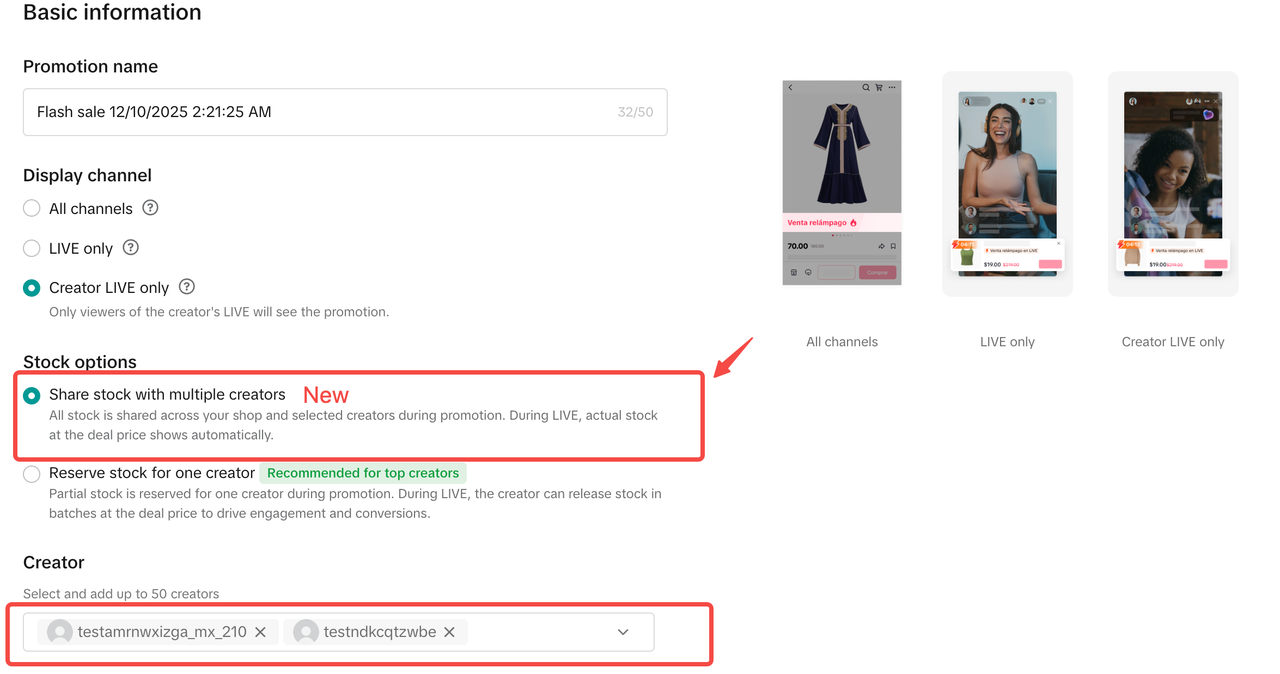
Starting December 10, 2025, the Latam region has launched the non-reserved stock version of Creator LIVE Flash Sale. This update enables merchants to batch-associate creators. Key improvements include:- New "Share Stock with multiple creators" Mode: Once the seller sets it up, creators just need to add the product to their live cart, and the flash sale starts automatically.
- Bulk Link Up to 50 Creators:Connect one flash sale to multiple creators in a single step.
- Live Status Tracking:See which creators have added your product and who is currently streaming.
- Improve efficiency: Set it up once. The flash sale will run in dozens of creators' live streams automatically.
- Flexible inventory: With non‑reserved stock, all creators share one inventory pool. No more stranded stock or overselling.

3. How to Create Creator LIVE Flash Sale On Seller Center
3.1 Seller - Create LIVE Flash Sale on Seller Center
3.1.1 Entrance
- Seller Center > Promotions > Promotional Tools > Flash Sale > Create
3.1.2 Enter basic information
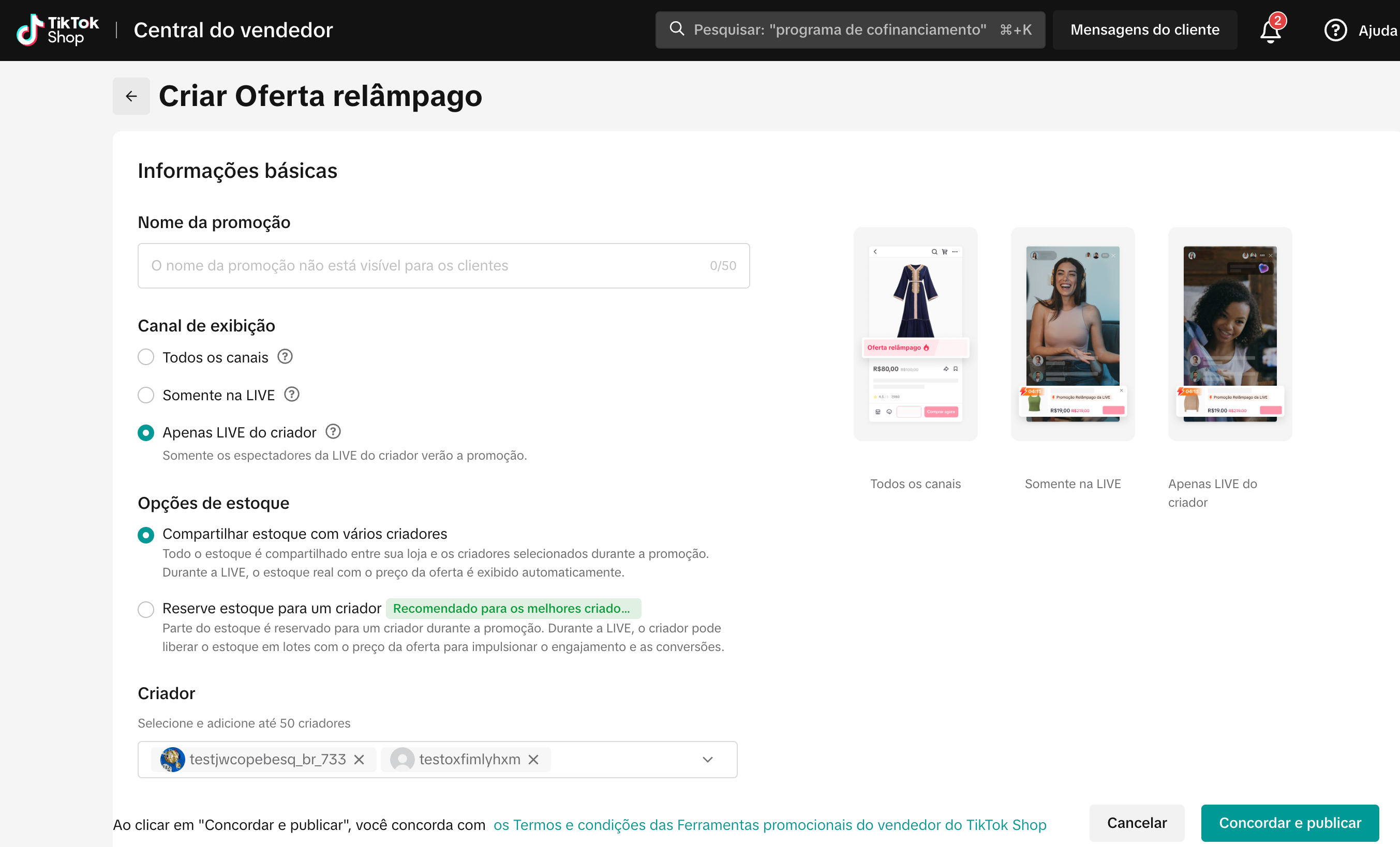
- Creator live only: Creator LIVE Flash Sale will be displayed on livestream channel of selected creator's account.
- Stocks options:
- Share stock with multiple creators(Newly launched): Select this option to choose multiple creators (up to 50 creators per promotion). The allocated stock will be shared across all selected creators on a first-come, first-served basis, and the Flash Sale will automatically appear on each creator’s livestream during the promotion period.
- Reserve stock for one creator: Select this option to exclusively lock stock for a single creator. Only that creator can release stock and deal prices in batches at their own pace during the livestream. The creator must schedule and distribute Flash Sale for them to appear on their livestream.
- Reserved stock remains locked for that creator and will automatically return to your available stock once the promotion ends or is deactivated.
- Stocks options:
- Set a Promotion Name
- Choose Channel:
| Stock options | Total stock | Total purchase limit (Creator LIVE Flash Sale) | Available stock | Stock lock | Display |
| Share stock with multiple creators | 1,000 | 800 shared across all selected creators | 1000 seller's available quantity for sale | No | Auto-display on creator's livestream |
| Reserve stock for one creator | 1,000 | 800 reserved stock for creator A | 200 seller's available quantity for sale | Yes | Creator is required to set up manually |
- Creator eligible criteria:
- The creator must be in the same country as the seller and the creator cannot be an official seller account or marketing account
- Sellers can set up only one Creator LIVE Flash Sale for the same product and creator within the same time period.
- For Creator LIVE Flash Sale, if you choose the stock option "Reserve stock for one creator", creators must schedule and distribute Flash Sale within the promotion period you've specified.
- Pre-Launch is only available for Creator LIVE Flash Sale
- Pre-Launch price countdown will use the lowest price of the product variation to be displayed on the product card.
- Set a promotion period: Schedule the start and end date for your Seller Flash Sale.
- Pre-Launch Display Logic
- If seller submits LIVE Flash Sale for some of the variations and the deal price is higher than the lowest price in the product variation, there will be no pre-launch countdown and the product card will display the lowest price of the product variation.
- Example: Product 1
- SKU A: $100 -> No LIVE Flash Sale price -> $100 will be shown on the product card.
- SKU B: $120 -> $110 LIVE Flash Sale price
- SKU C: $140 -> $130 LIVE Flash Sale price
3.1.3 Select Products
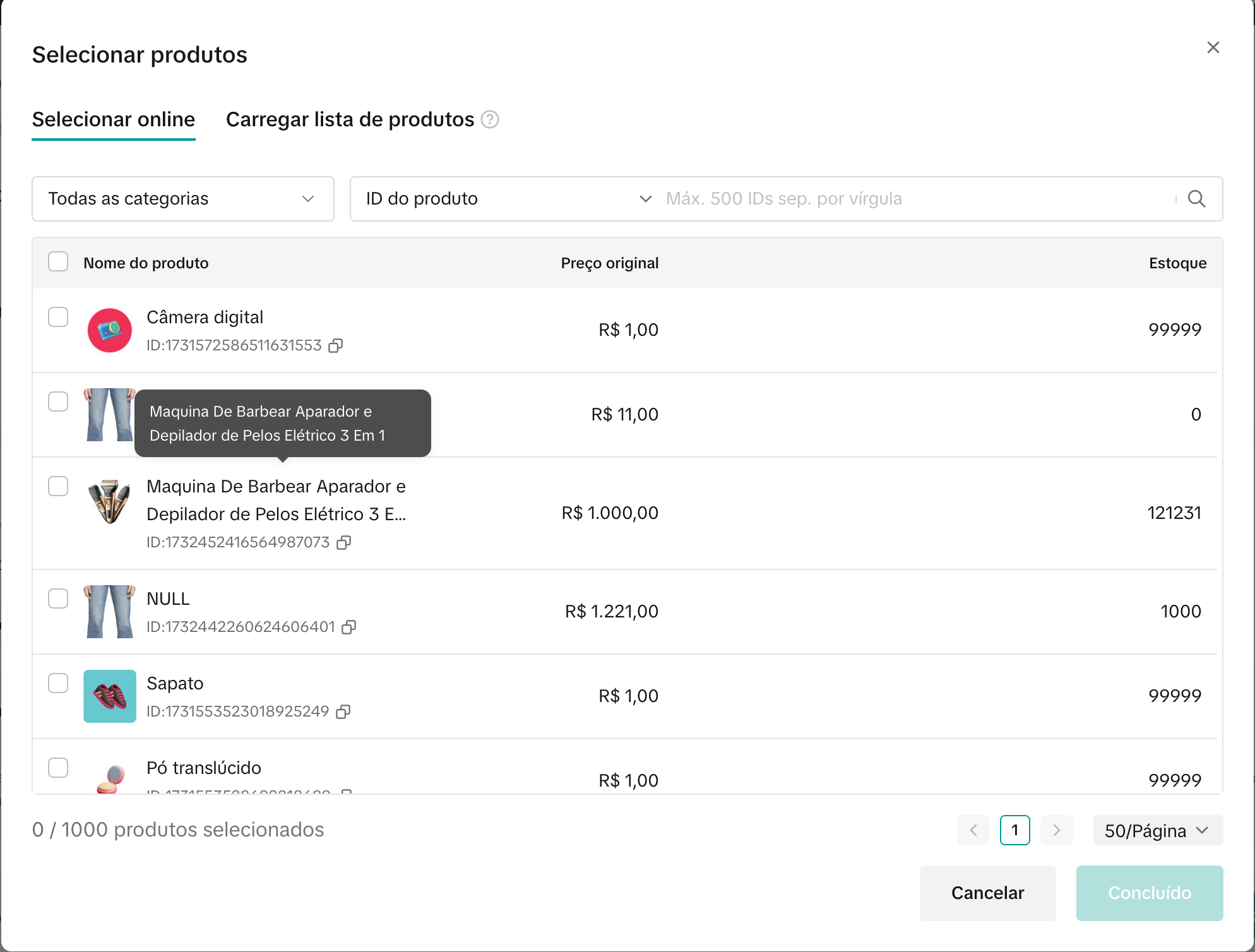
When setting up your Flash Sale promotion, you can set the discount either on product-level or variation-level (with exception to Creator LIVE Flash Sale where variation-level will be the only option).You can select products from your existing product list by clicking Select online or Batch upload.

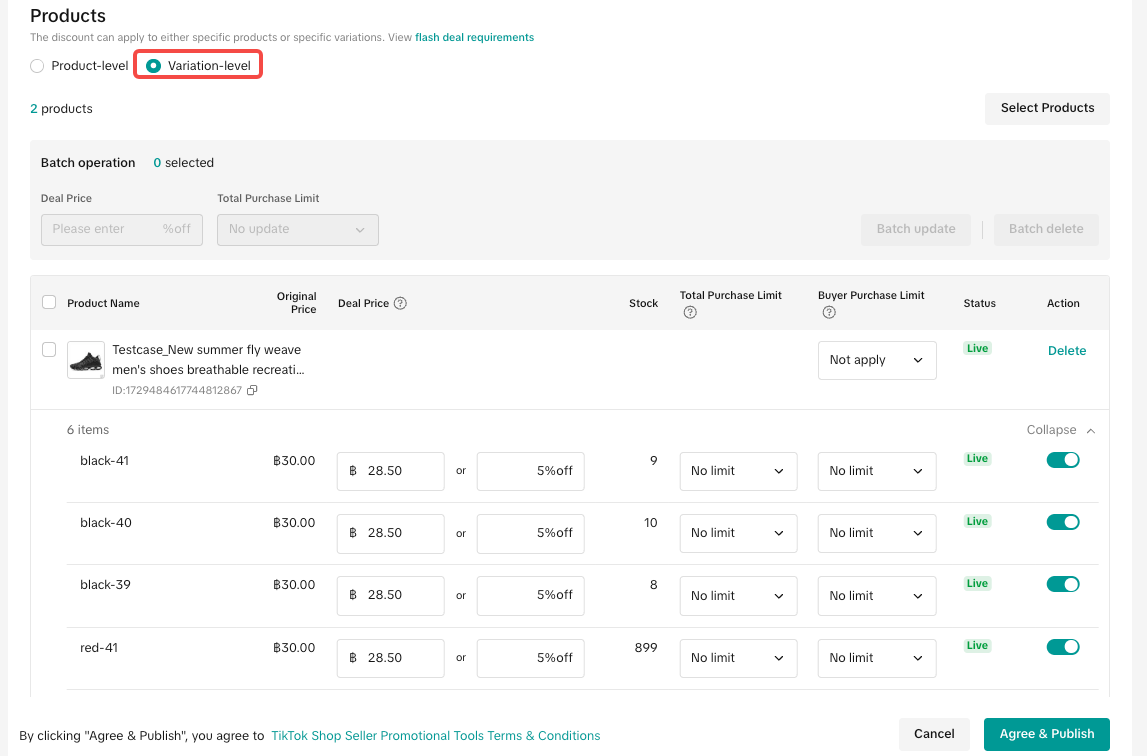
 If you select Product-level, you will set the deal price on a product dimension, which means all variations under the product will be adjusted to the same price. Note that percentage calculation will be based on the lowest SKU price.

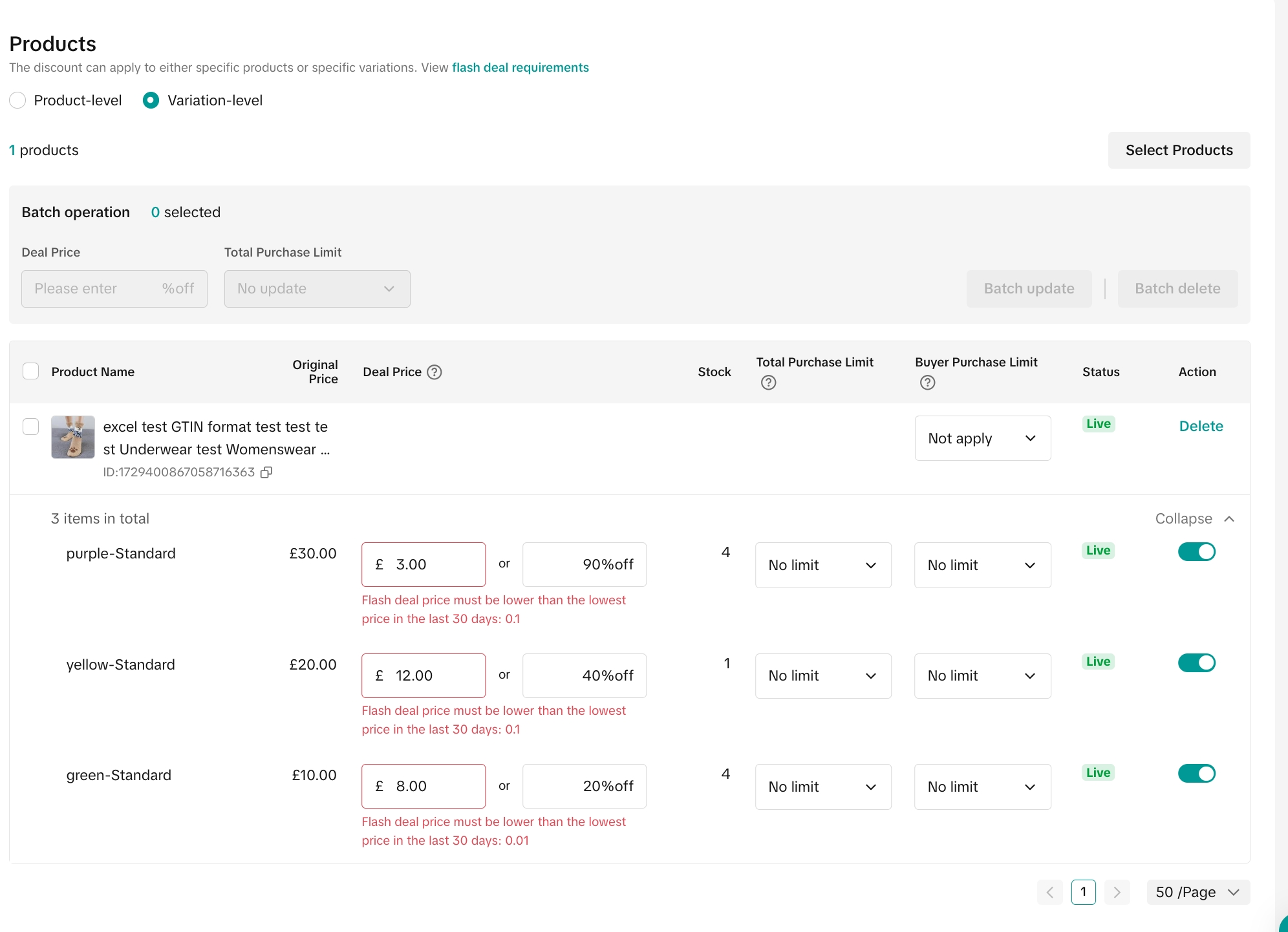
3.1.4 Set Flash Sale price
The Deal Price for Flash Sales can be configured either as a fixed price or percentage off. You can choose to edit the deal price, total purchase limit, and buyer purchase limit individually or in bulk.- Fixed price: Reduce the price by setting a fixed amount
- Percentage: Reduce the price by setting a percentage
- Total purchase limit: The total limit for this Flash Sale promotion cannot exceed the product's stock value.
- Buyer purchase limit: The maximum quantity that each customer can purchase.
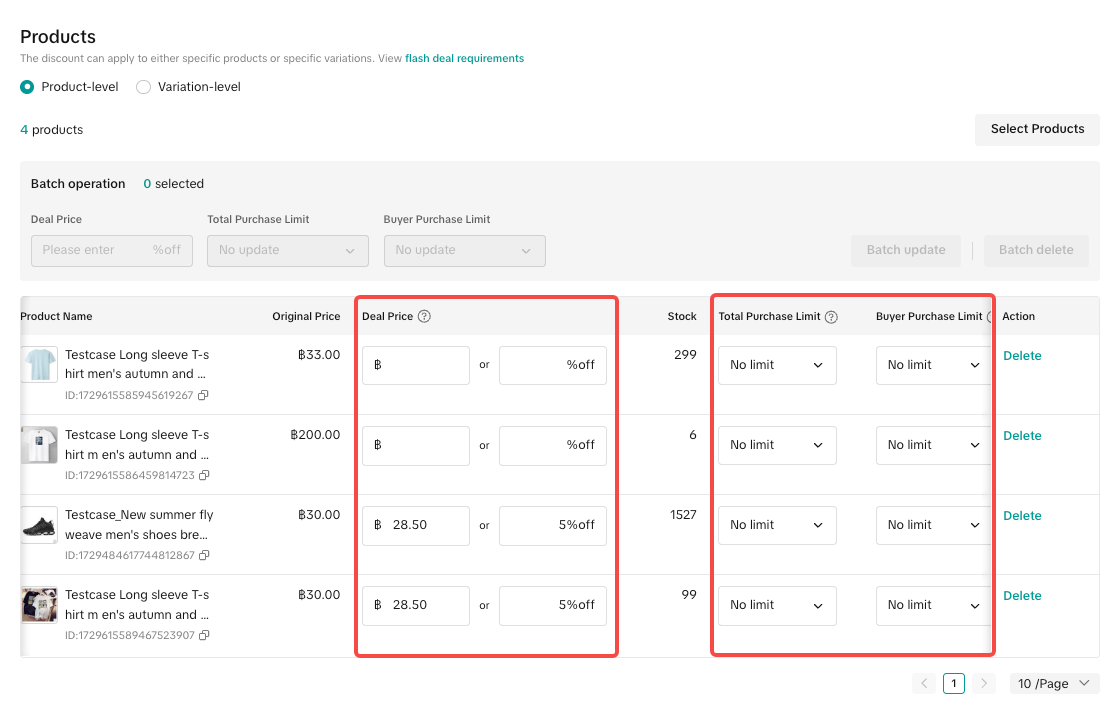
 Configure Flash Sale IndividuallyConfigure in Bulk
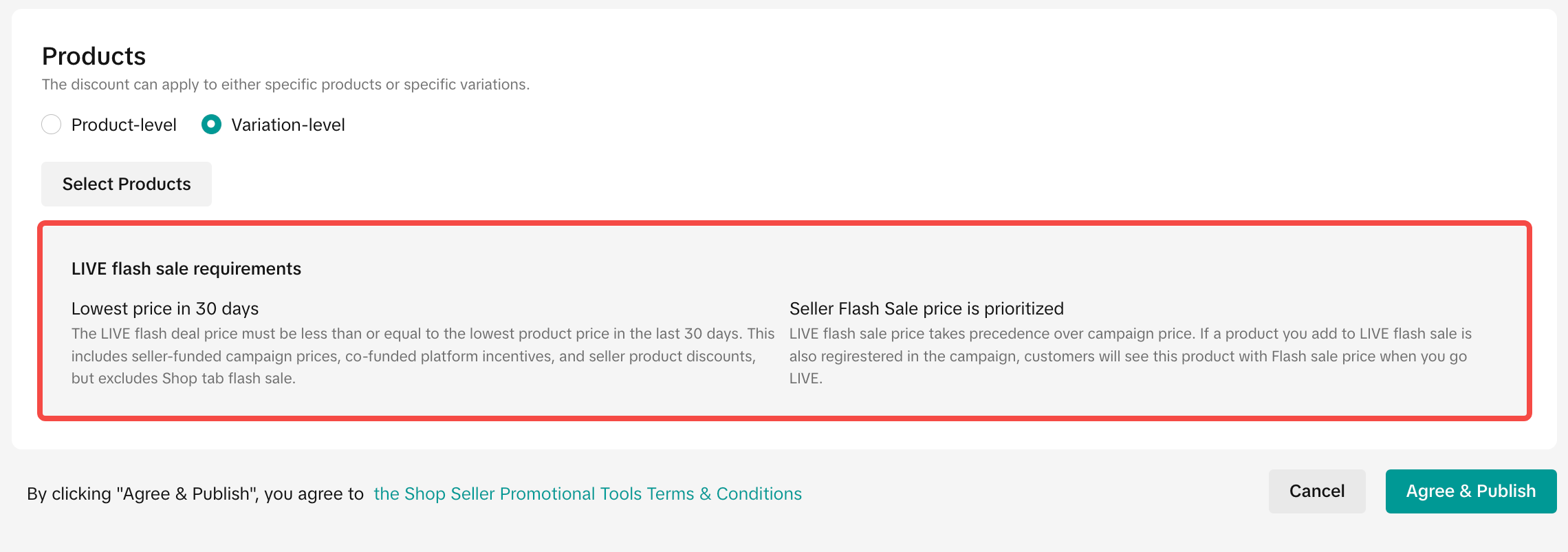
- Creator LIVE Sale price requirement: Lower than or equal to the lowest product price in the last 30 days, including campaign price, co-funded product incentive, seller product discount. But excluding Brand Crazy Deals, Flash Sale Product Campaign, Flash Sale, LIVE Flash Sale and Creator LIVE Flash Sale. If there is no order history in the last 30 days, LIVE Flash Sale and Creator LIVE Flash Sale prices are required to be lower than the original price.
- A warning message will be shown with the suggested price, if the submitted price does not follow the price requirement.
- Once you have reviewed the Seller Flash Sale promotion details, click Agree & Publish
3.2 Manage Creator LIVE Flash Sale
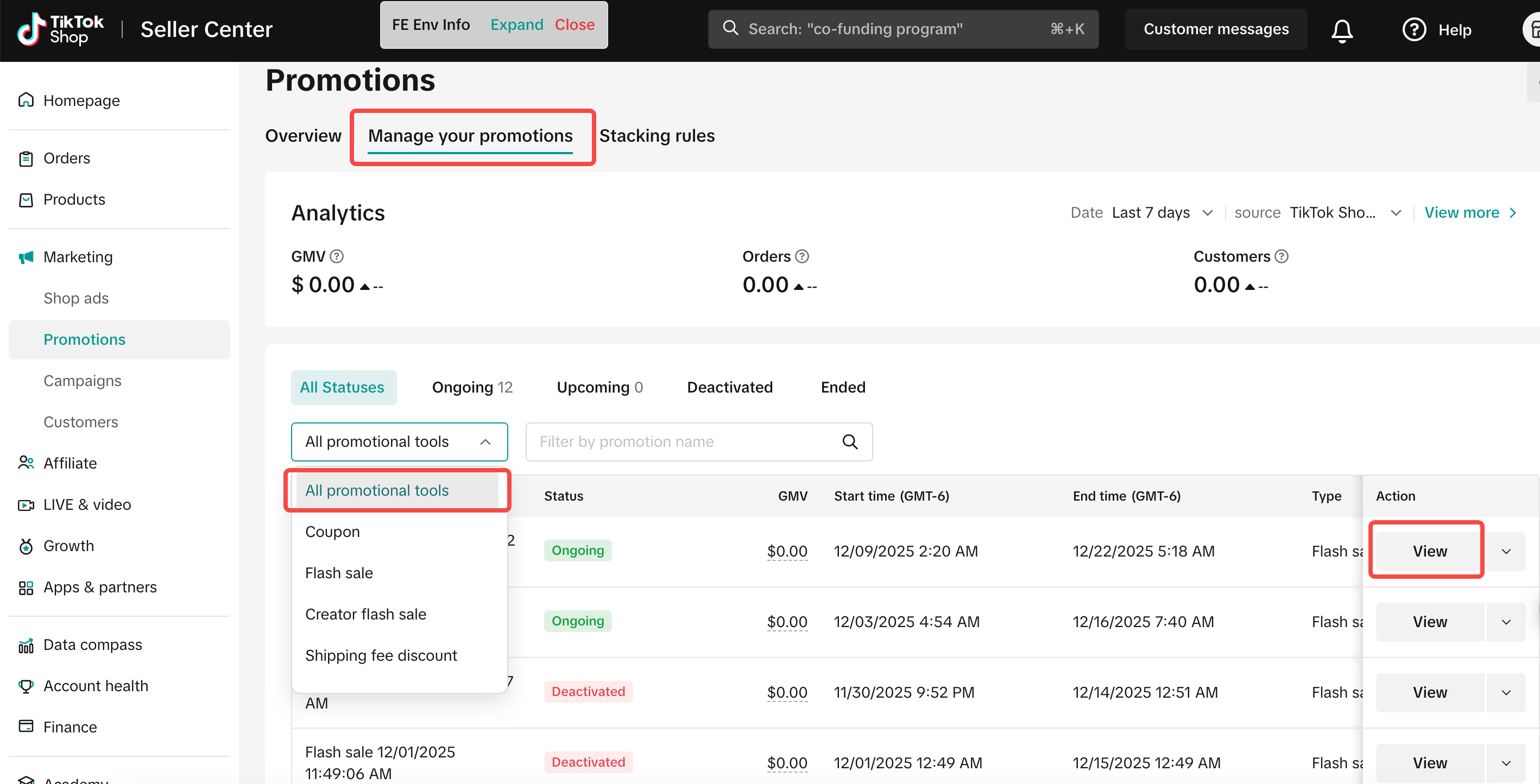
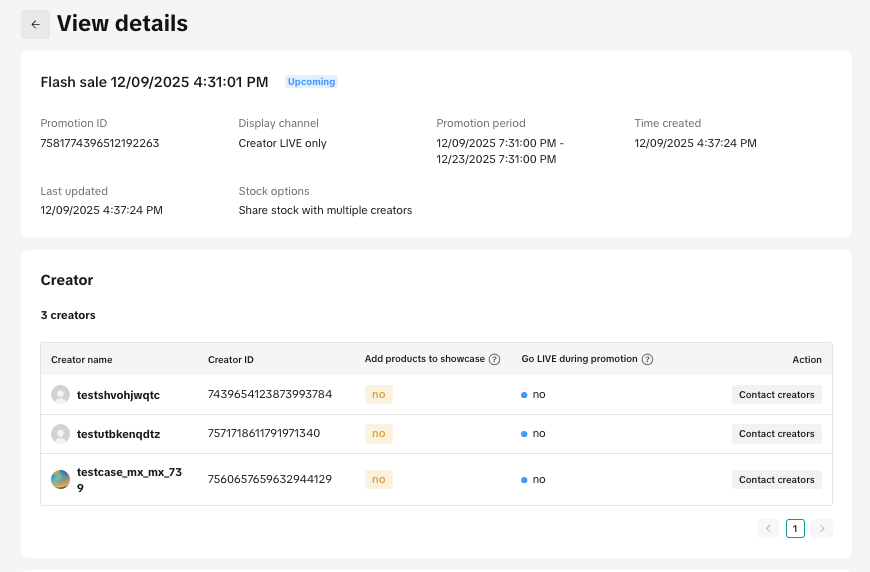
To manage a Seller Flash Sale promotion on the Seller Center on PC- Click Duplicate to copy the Creator LIVE Flash Sale promotion setting to help you quickly set up another promotion.
- Click Deactivate to end a Creator LIVE Flash Sale promotion
- Enter Manage your Promotions to view the details of ongoing, upcoming and deactivated promotions.
- You can then choose to "Deactivate" or "Duplicate" a Creator Live Flash Sale.
 |  |

4. How It Works for Creators
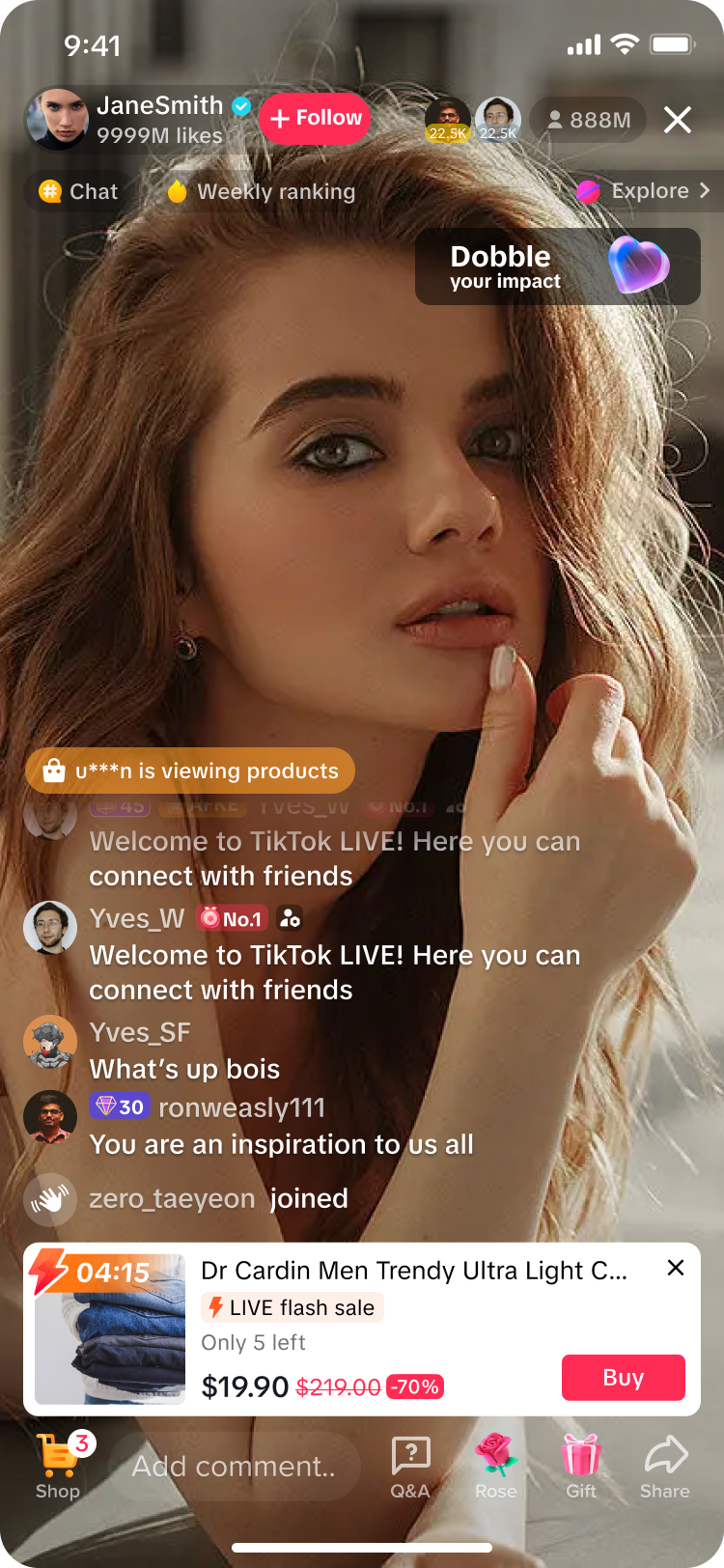
In the non-reserved stock mode, once the merchant enables flash sale for a creator, all the creator needs to do is add the product to the shopping cart during the livestream. The flash sale will begin automatically — no manual setup required.5. Customer Display For Creator LIVE Flash Sale
| Livestream Pinned Product | Livestream Shopping Bag | Product Detail Page (PDP) |
 | 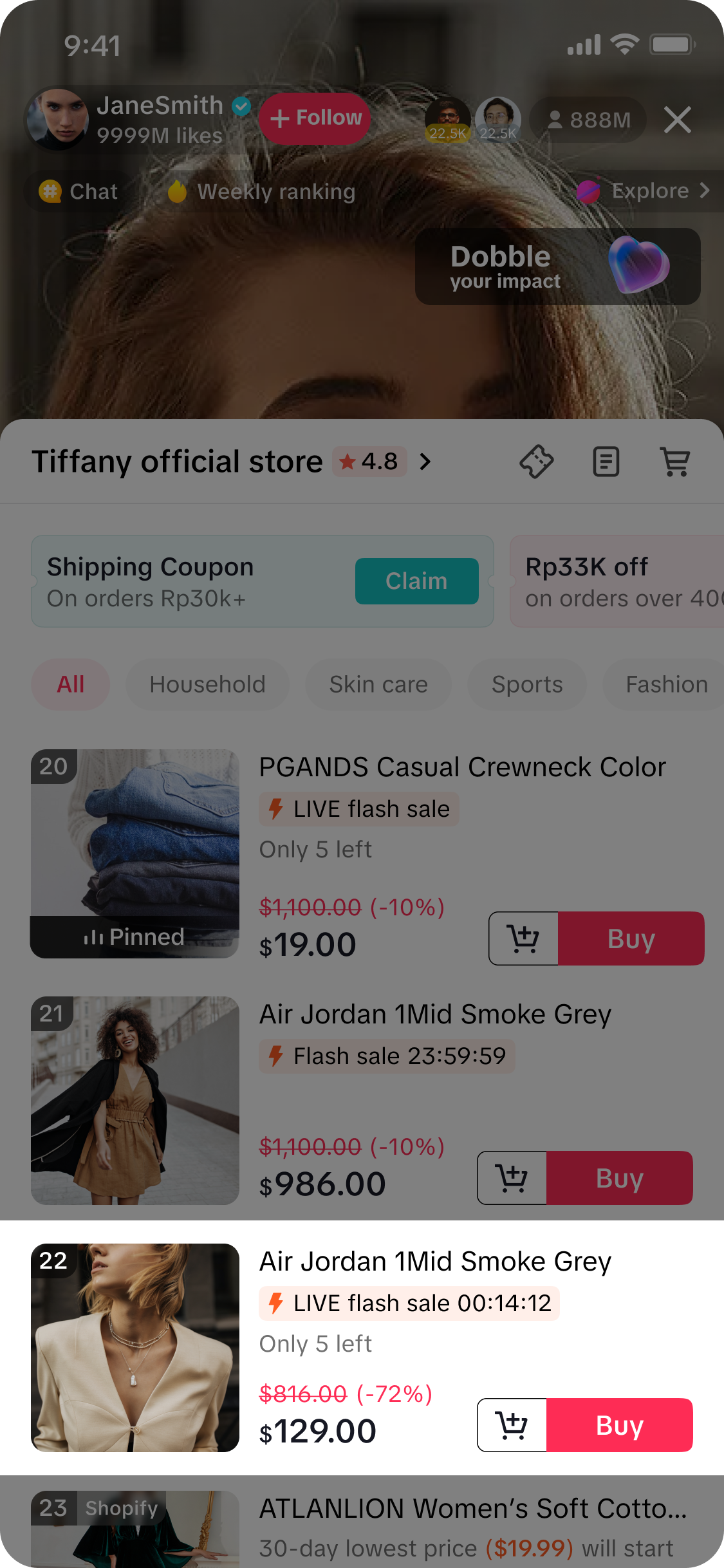 | 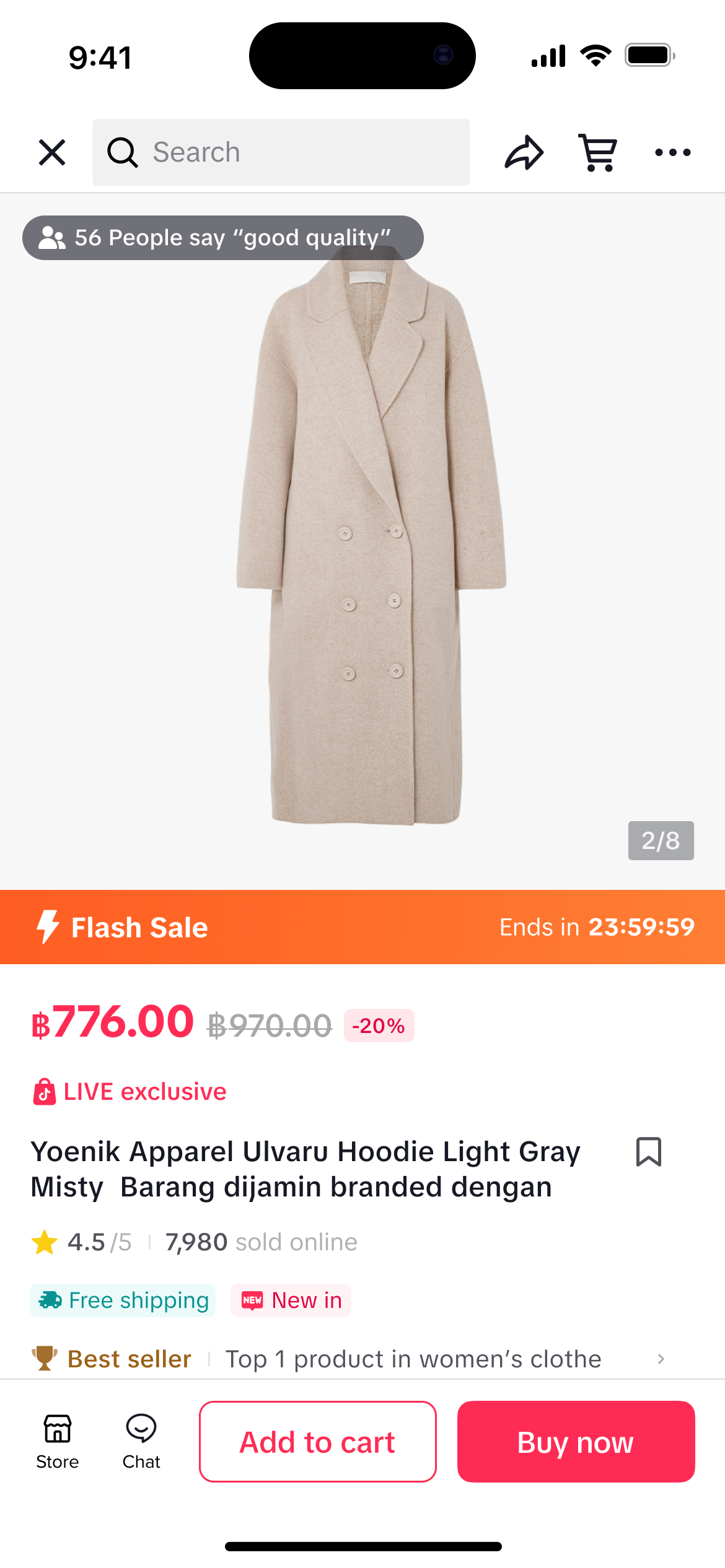 |

FAQ
What’s the difference between “Reserved Stock” and “Non‑Reserved Stock”?
- Non‑Reserved Stock(Share stock with multiple creators):
- Reserved Stock(Reserve stock for one creator):
Here is an example:
Option | Example Product A total stock: 100 pcs |
Share stock with multiple creators | In the activity, allocate 40 pcs. Up to 40 pcs can be sold at the flash sale price. Other sales channels can also use these 40 pcs of stock—all on a first‑come, first‑served basis. |
Reserve stock for one creator | In the activity, allocate 40 pcs. Up to 40 pcs can be sold at the flash sale price. Other channels cannot use these 40 pcs of stock; other channels can sell up to 60 pcs from remaining stock. |
How is stock allocated among creators under the “Non‑Reserved Stock” mode?
In “Non‑Reserved Stock” mode, stock is allocated first‑come, first‑sold. All linked creators share one inventory pool, and stock is deducted in real time as viewers place orders in their respective live streams. There is no pre‑allocation—whoever sells first uses the available stock. Once the total stock is sold out, the flash sale ends for all creators.I have already set up the creator flash sale in Seller Center. Why hasn't the creator flash sale taken effect yet?
There are currently two modes for Creator Live Flash Sale: the Share stock with multiple creators version and the Reserve stock for creators version.- For reserve stock for creators version: After the seller completes the setup, the creator must also configure the flash sale on their side for it to go live.
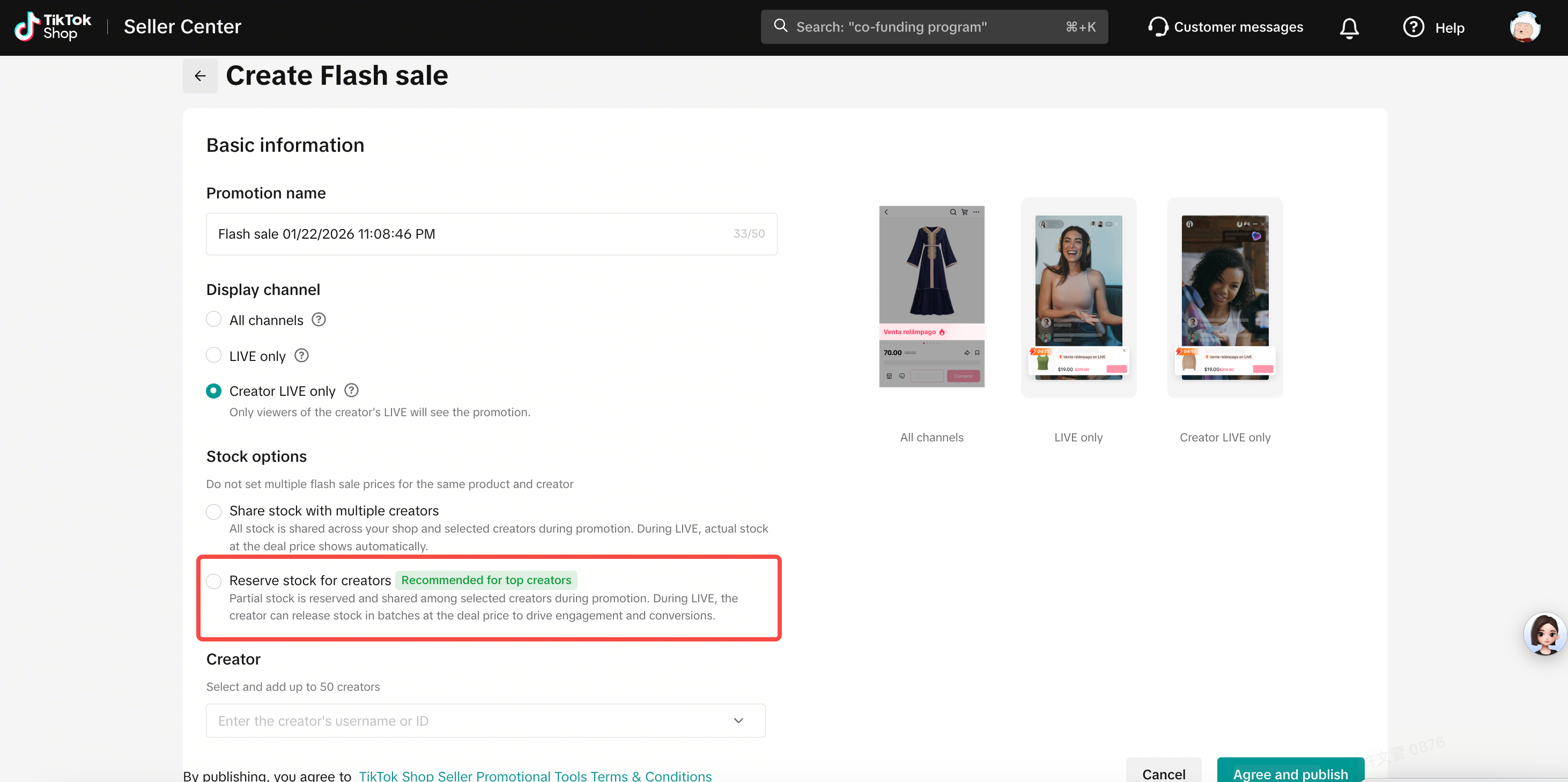
- For share stock with multiple creators version: Once the seller completes the setup, the creator only needs to add the product(s) to the live stream. No additional steps are required for the flash sale to take effect.